Tax details
Reviewed on 4 October 2026
On this page
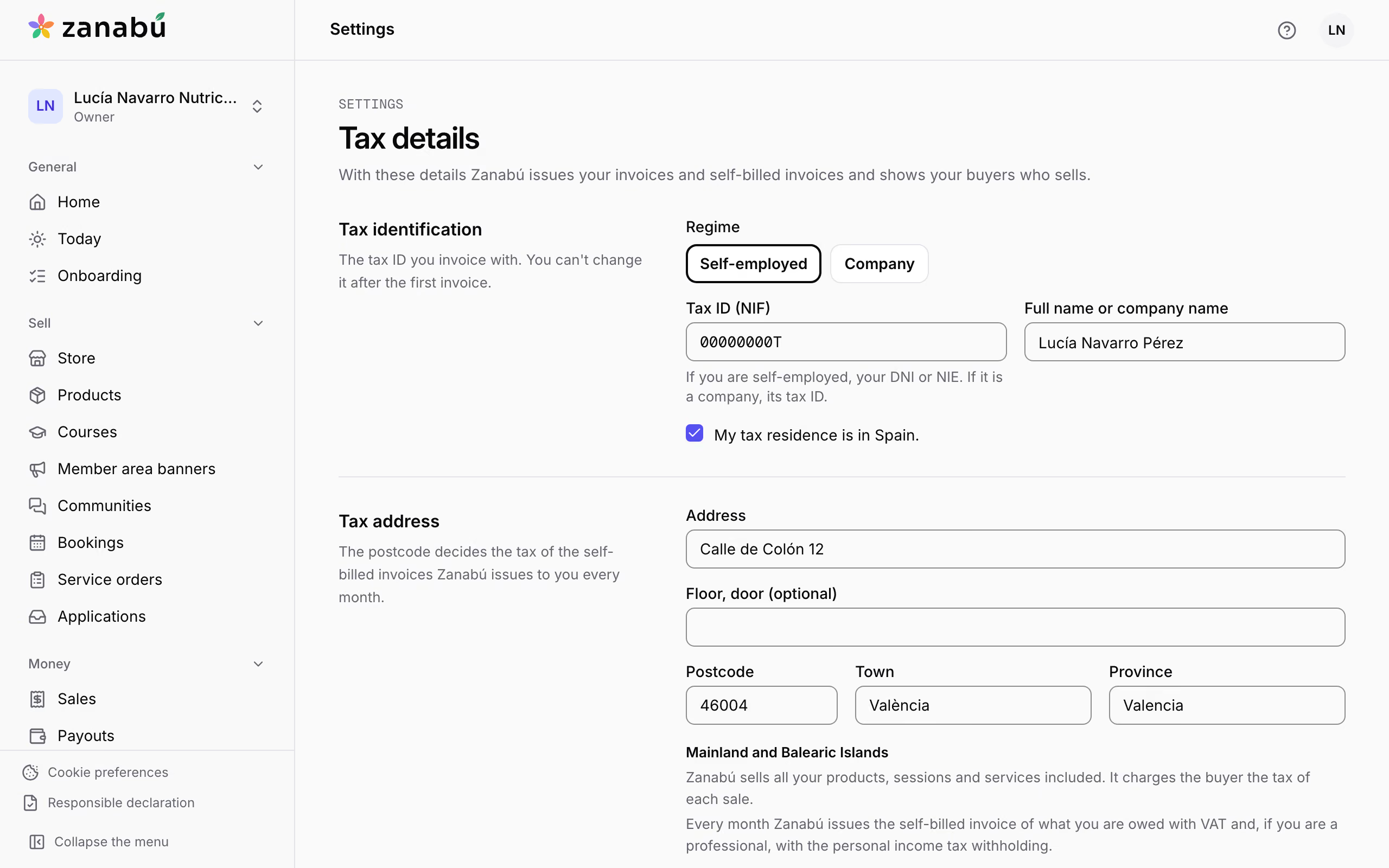
You give your tax details when you publish your store and change them here later. With them Zanabú issues your self-billed invoices, decides their VAT and their withholding and shows your buyers your trader details. You cannot change the tax ID after the first invoice, so check it carefully before saving.
How to get there
Open Settings in the side menu and select Tax details. While they are missing, Fill in my tax details brings you here from Payout account.
What you can do
- Choose whether you invoice as self-employed or as a company.
- Write the tax address, which decides the tax of your self-billed invoice.
- Give the phone and the email your buyers see as the seller's details.
- Say whether your activity is professional or business and since when you carry it out.
- Declare the reduced 7% withholding if you started your activity recently.
Step by step
Complete the tax details
- 1. In Regime, choose Self-employed or Company.
- 2. Write the Tax ID (NIF) and your Full name or company name.
- 3. Tick My tax residence is in Spain.
- 4. Fill in Address, Postcode, Town and Province.
- 5. Fill in Phone with the country prefix and Contact email.
- 6. Choose the Type of activity and the Start date of the activity.
- 7. Select Save at the bottom of the page.
Declare the reduced withholding
- 1. Select Declare in Reduced 7% withholding.
- 2. Choose the Start year of your activity.
- 3. Tick I declare that I had no professional activity the year before the start.
- 4. Write the Code from your authenticator app.
- 5. Select Sign declaration.
What happens next
The screen says Tax details saved. and you stay on the same page. Zanabú uses the new details on the self-billed invoices it issues from then on.
Keep in mind
- If you are a company, you also have to give your Commercial registry and the Registration details (volume, folio, sheet).
- Zanabú sells all your products and charges each buyer their tax. Your self-billed invoice carries VAT on the mainland and the Balearic Islands and goes without tax, under the reverse charge, in the Canary Islands, Ceuta and Melilla.
- The reduced withholding is for those who started their professional activity that year or in the two before without having carried it out the previous year.
- If the check character of the tax ID does not match the usual calculation but the tax ID is correct, tick I confirm the tax ID is correct. to go on.
- If your role can see these details but not change them, the screen tells you.
- If you provide healthcare or private tuition, Ask for exempt sales takes you to the settings of Business. There you ask to sell your sessions in your name and without VAT.
Was this helpful?
Need to talk to us?
If you didn't find what you were looking for, write to us. We reply within two working days.