Sign the tax authorisations and the agreements
On this page
The tax authorisations and the agreements are signed at once in the quick start, with one box and your code. If one is missing or Zanabú publishes a new version, you sign it from Settings. With the authorisations, Zanabú can issue your self-billed invoices and send their records to the tax authorities. With the agreements you accept the creator terms, the agreement on your buyers' data, the prohibited products policy and your declaration as a trader.
Before you start
- Check that you are the owner of the business, the only person who signs and accepts.
- Have your verification app at hand, because each authorisation is signed with its code.
Open Settings and select Tax authorisations. There are two: the Self-billing agreement and the Representation before the Spanish Tax Agency.
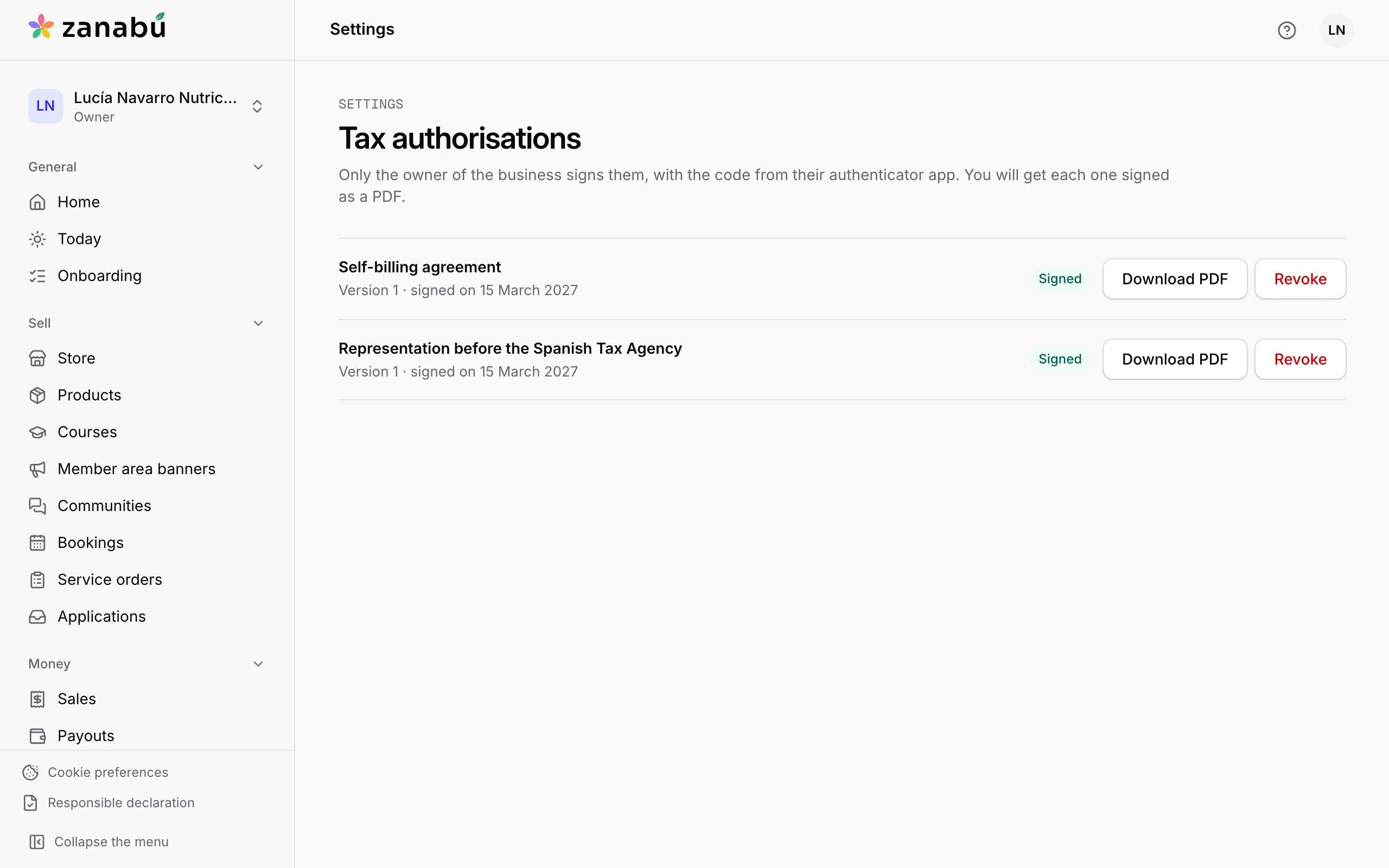
- 1. Select Read and sign on the first authorisation.
- 2. Read the text and tick I have read the text and accept it on behalf of the business.
- 3. Write the Code from your authenticator app.
- 4. Select Sign.
- 5. Repeat with the second one.
Accept the agreements
- 1. Open Settings, select Legal texts and then Accept the onboarding agreements.
- 2. Select Read on each agreement.
- 3. Tick the box of each one.
- 4. Select Accept all four.
What happens next
For each authorisation you receive the email «Signed copy» with the PDF, its version, the date and the fingerprint of the document. Keep it with your tax records. With your tax profile complete and the store published you can already sell. You get paid once you verify your identity and your bank.
Keep in mind
- All your sales need both authorisations, because Zanabú sells all your products and pays you with a self-billed invoice.
- If Zanabú publishes a new version of an authorisation, you receive an email with the deadline and Tax authorisations asks for it with Sign the new version. If you do not sign it in time, your sales stop until you do.
- A revocation takes effect on the last day of the month, so that Zanabú issues the settlement of the month with it. Your new sales stop from the moment you ask for it, because every sale needs both authorisations.
Frequently asked questions
What do I do if I revoked an authorisation by mistake?
While it shows Revocation scheduled, you cannot undo the revocation and your sales stay stopped. When it moves to Revoked, on the last day of the month, open Settings, select Tax authorisations and sign it again with Read and sign and your code. As soon as you sign it, those sales work again.
Why do I have to authorise Zanabú to issue my self-billed invoices?
The law allows whoever receives your services to issue your invoices if you agree it beforehand, according to article 5 of Royal Decree 1619/2012. That way Zanabú issues each month the self-billed invoice of your services with its Verifactu record. You do not have to issue it by hand.
Was this helpful?
Need to talk to us?
If you didn't find what you were looking for, write to us. We reply within two working days.