Chat
On this page
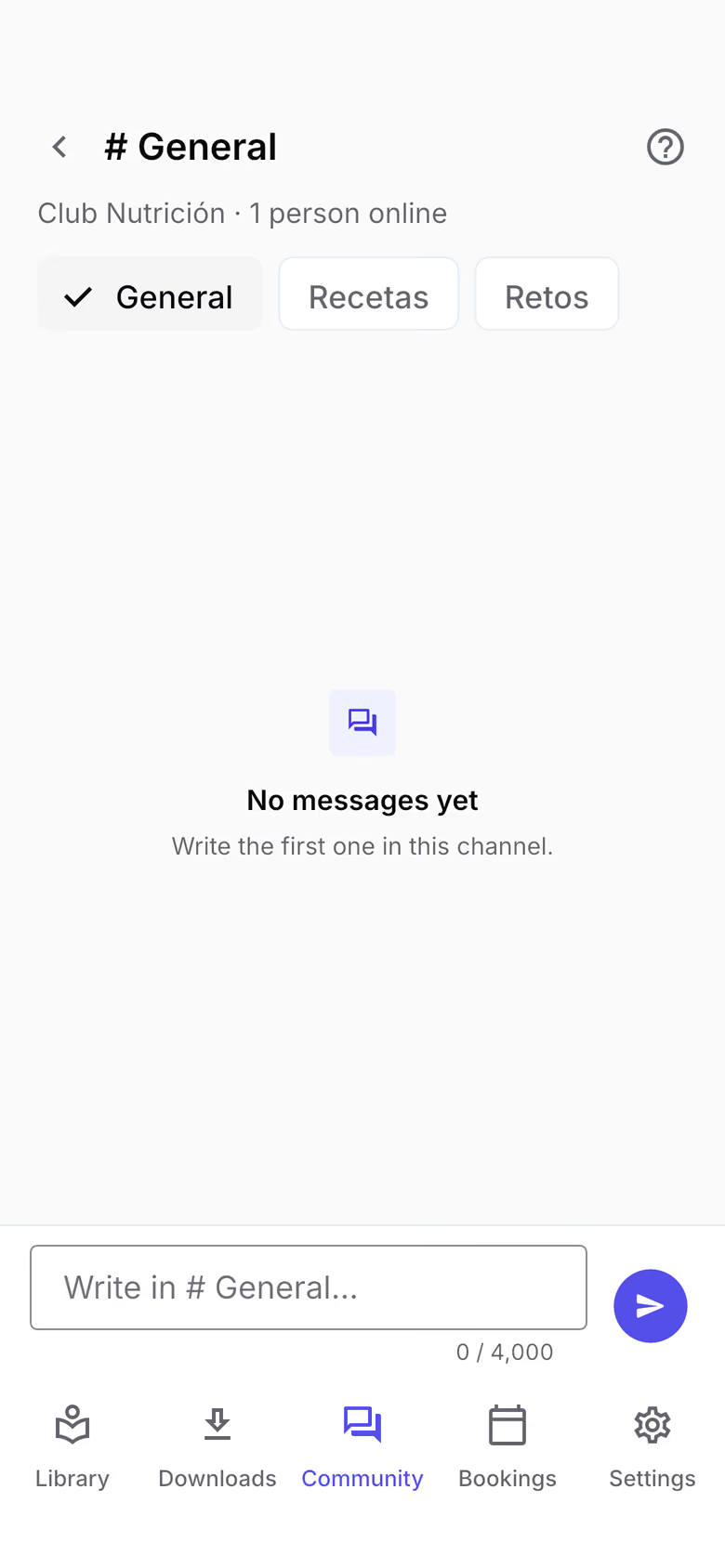
In the Chat you talk live with the other members of the community, channel by channel. On top you see how many people are online.
How to get there
In Community, press Chat under the name of the community. A notice of a mention takes you straight to the channel where you were mentioned.
What you can do
- Switch channel by tapping its name in the row of channels.
- Write a message and mention with @ a member of the channel or the team of the store.
- Tap an image to see it large.
- React to a message and open its thread to read the replies and answer.
- From the menu of a message, edit yours for 15 minutes, delete it or report someone else's.
Step by step
Write in a channel
- 1. Tap the channel in the row of channels.
- 2. Write your message in the field at the bottom. When you type @, the people you can mention show up.
- 3. Press the send button.
Reply in a thread
- 1. Tap the replies of a message or open its menu and choose Reply in a thread.
- 2. Write your reply in the field of the thread and send it.
What happens next
Your message reaches whoever has the channel open at once, in the app or in the browser. When you come back, the chat marks with New the first message you have not read.
Keep in mind
- A channel with a padlock opens on reaching its level in the community.
- If the team mutes you, you read the chat and cannot write until the date you see.
- A deleted message stays as «Message deleted» for the whole channel. When a moderator deleted it, it stays as «Message deleted by a moderator». Before you delete one of yours, the app asks you to confirm it.
- With slow mode, the field tells you how many seconds are left until the next message.
Frequently asked questions
What happens if I lose the connection?
While there is no connection, the chat says so with Try again, which tries at that moment. The app connects again by itself as soon as there is network and brings the messages that arrived meanwhile, without repeating any.
Was this helpful?
Need to talk to someone?
The creator of the store sold you the product. They handle access, changes and refunds for your purchase.
Open the store from your purchase email and tap “Help” at the bottom of the page.
For a charge you don't recognise, buyer protection or your data, write to Zanabú. Write to support